For the complete documentation index, see llms.txt. This page is also available as Markdown.

CatalyX Daml Coding Assistant

AI-powered inline code completion for Daml, delivered as a VS Code extension and backed by a model fine-tuned specifically on Daml code.

CatalyX Daml Coding Assistant is a VS Code extension that suggests code completions while you write Daml. General-purpose coding assistants see very little Daml during training and often produce code that does not compile; the Daml Coding Assistant is backed by a model fine-tuned specifically on Daml code, so its suggestions follow Daml syntax and idioms.

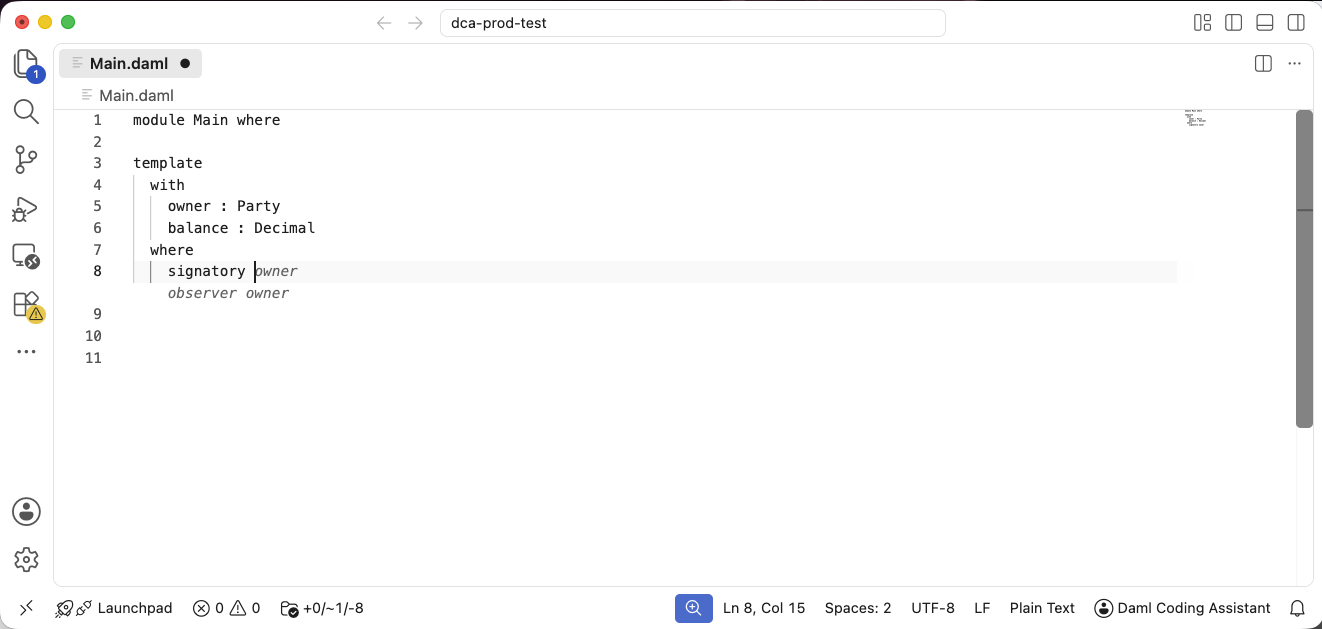
Completions appear as inline ghost text at your cursor — press Tab to accept the full completion, or Cmd+→ (Ctrl+→ on Windows/Linux) to accept it word by word.

A ghost-text completion suggested inline in a .daml file

CatalyX Daml Coding Assistant Overview

How It Works

The extension watches your cursor position in .daml files, sends the surrounding code to the inference server, and shows the returned completion as ghost text.

  1. Install

Add the extension to VS Code from the Visual Studio Marketplace.

  1. Register

Sign up with your email or Google account — access is granted automatically.

  1. Complete

Open a .daml file and start typing — suggestions appear inline.

Key Features
  1. Daml-specific completions Suggestions come from a model fine-tuned on Daml code, benchmarked to be measurably more accurate on Daml than a leading general-purpose coding assistant (GitHub Copilot).

  2. Inline ghost text Completions appear as you type, or on demand in manual trigger mode. Accept a whole suggestion, or take it word by word or line by line.

  3. Privacy by default No code content from your requests is retained unless you explicitly opt in to sharing it. See Usage & Settings.

  4. Open-weight model The underlying model is published on Hugging Face, so you can run the whole stack on your own infrastructure. See Self-Hosting.

  5. Open benchmark The Daml autocompletion benchmark used to evaluate the model is open source.

Security & Privacy

By default, the hosted service does not keep any of your code: the context sent with each completion request is processed in memory and not retained. Only anonymous usage metrics are recorded: whether suggestions were accepted (a boolean only — never the suggestion text), character counts, and latency.

You can optionally opt in to sharing code snippets to help improve the model. You are asked for your choice on first use, and can change it at any time in the extension settings.

Use of the hosted service is subject to the Terms of Use; data handling is described in the Privacy Notice.

Organisations that prefer to keep everything in-house can self-host the open-weight model — see Self-Hosting.

Learn More

Get Started

Explore the documentation and start getting Daml completions in your editor.


Last updated

Was this helpful?