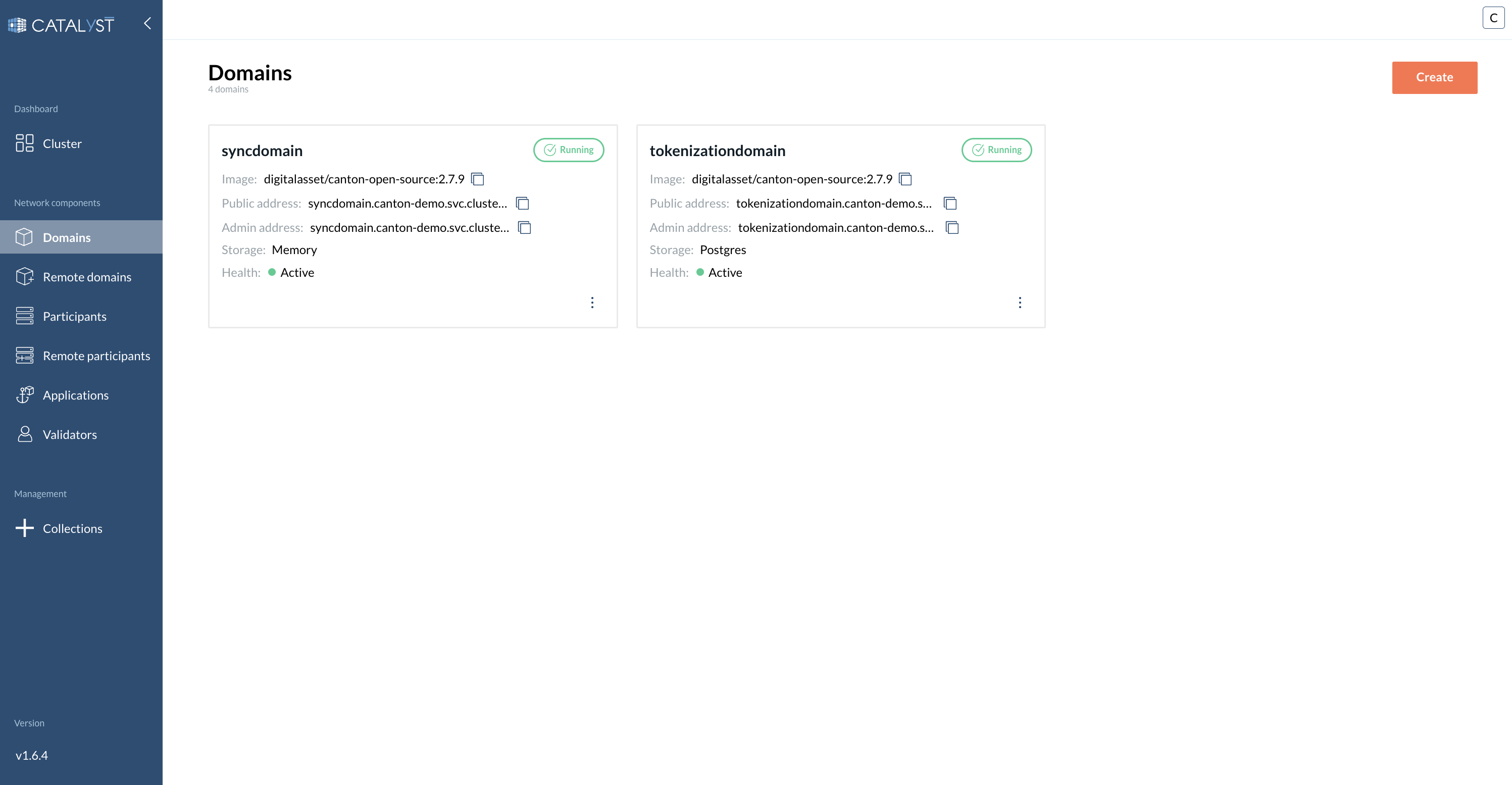
> For the complete documentation index, see [llms.txt](https://docs.catalyx.solutions/llms.txt). Markdown versions of documentation pages are available by appending `.md` to page URLs; this page is available as [Markdown](https://docs.catalyx.solutions/catalyx-blockchain-manager/canton-network/version-1.11/network-and-node-management/domains.md).
# Domains
This page introduces Domains (or Synchronizers) in Canton and explains how they are created and configured in Catalyst. Canton is a network composed of multiple domains, each operating under its own rules, governance, and set of participants. Each domain functions as an independent sub-network that participates in the wider Canton Network.
### What is a Domain/ Synchronizer?
In a composed solution, each domain is a sub-network. A Participant Node connects to one or more Domains, enabling transactions that span Domains.
{% hint style="info" %}
For more information about Participant nodes, see [Participants](broken://pages/27a5b9a93b16fb5fe81a9e6ff2aa908021e0156b).
{% endhint %}
### How Do I Create a Domain?
To create a Domain, go to the **Domains** tab and click the **Create** button to open a side window.
{% stepper %}
{% step %}
**Provide a Domain name**
Enter a unique Domain name (required).
{% endstep %}
{% step %}
**Fill in the main settings**
{% hint style="info" %}
Using a predefined image is recommended for compatibility. However, you can select your own image if needed. If you want to use an image from a private repository, specify an `imagePullSecret`. You can create an `imagePullSecret` in your Kubernetes cluster and reference it by name here.
{% endhint %}
* Choose domain image
* Enable **Daemon** if required
* Enable **Ingress** if required
* **Resources allocation:**
* **Requested CPU** — Guaranteed CPU resources that will be allocated
* **CPU limit** — Maximum CPU resources that will be allocated
* **Requested memory (MB)** — Guaranteed amount of RAM that will be allocated
* **Memory limit (MB)** — Maximum amount of RAM that can be allocated
* **Storage size**
* You can add custom environment variables if needed
{% endstep %}
{% step %}
**Fill in Topology**
* Enable **Embedded Topology** if needed
* **Topology:**
* Choose between form or raw view topology
* Choose **Admin Port**
* Choose **Public port**
* Choose **Storage type:**
{% tabs %}
{% tab title="Memory" %}
No additional configuration required.
{% endtab %}
{% tab title="PostgreSQL" %}
A PostgreSQL database will be provisioned in the cluster.
* Choose User
* Choose Password
* Choose Storage size
{% hint style="info" %}
When selecting PostgreSQL as storage type, a postgres database will be provisioned in the cluster.
{% endhint %}
{% hint style="info" %}
For production deployments, consider using the **External** option below instead. See [Validator Backups and Identity Dumps](/catalyx-blockchain-manager/canton-network/version-1.11/validator-management/identity-backup-and-recovery.md#use-an-external-database-for-production) for recommendations on database hosting and safe pod operations.
{% endhint %}
{% endtab %}
{% tab title="External" %}
A database is expected to be hosted at the given hostname and port, with the same name as the domain and a user with the provided credentials.
* Choose User
* Choose Password
* Choose Hostname
* Choose Port
{% endtab %}
{% endtabs %}
{% endstep %}
{% step %}
**Bootstrap (optional)**
Provide bootstrap commands if needed.
{% endstep %}
{% endstepper %}
***
---
# Agent Instructions
This documentation is published with GitBook. GitBook is the documentation platform designed so that both humans and AI agents can read, navigate, and reason over technical content effectively. Learn more at gitbook.com.
## Querying This Documentation
If you need additional information that is not directly available in this page, you can query the documentation by asking a question.
Perform an HTTP GET request on the following URL with the `ask` and `goal` query parameters:
```
GET https://docs.catalyx.solutions/catalyx-blockchain-manager/canton-network/version-1.11/network-and-node-management/domains.md?ask=&goal=
```
`ask` is the immediate question: it should be specific, self-contained, and written in natural language.
`goal` is what the user is ultimately trying to achieve, the reason they need the answer. Sharing it helps GitBook give you a better, more relevant answer. A goal is most helpful when it describes the outcome the user wants rather than restating the question. For example, with `ask=how do I create an API token`, a goal like `automate deployments from our CI pipeline` lets GitBook tailor the answer to that use case.
The response will contain a direct answer to the question and relevant excerpts and sources from the documentation.
Use this mechanism when the answer is not explicitly present in the current page, you need clarification or additional context, or you want to retrieve related documentation sections.
.png?alt=media)